Move In
From overwhelm to control: simplifying the moving experience through thoughtful design.
Role:
UX/UI designer
Test moderator
Job duties:
UX research
User interviews
Product design
Prototyping
Usability testing
Tools:
Figma
Figjam
Case Summary
This was an end to end design project required putting together our knowledge of the design process and applying it to creating a service that aims to improve on the moving process.
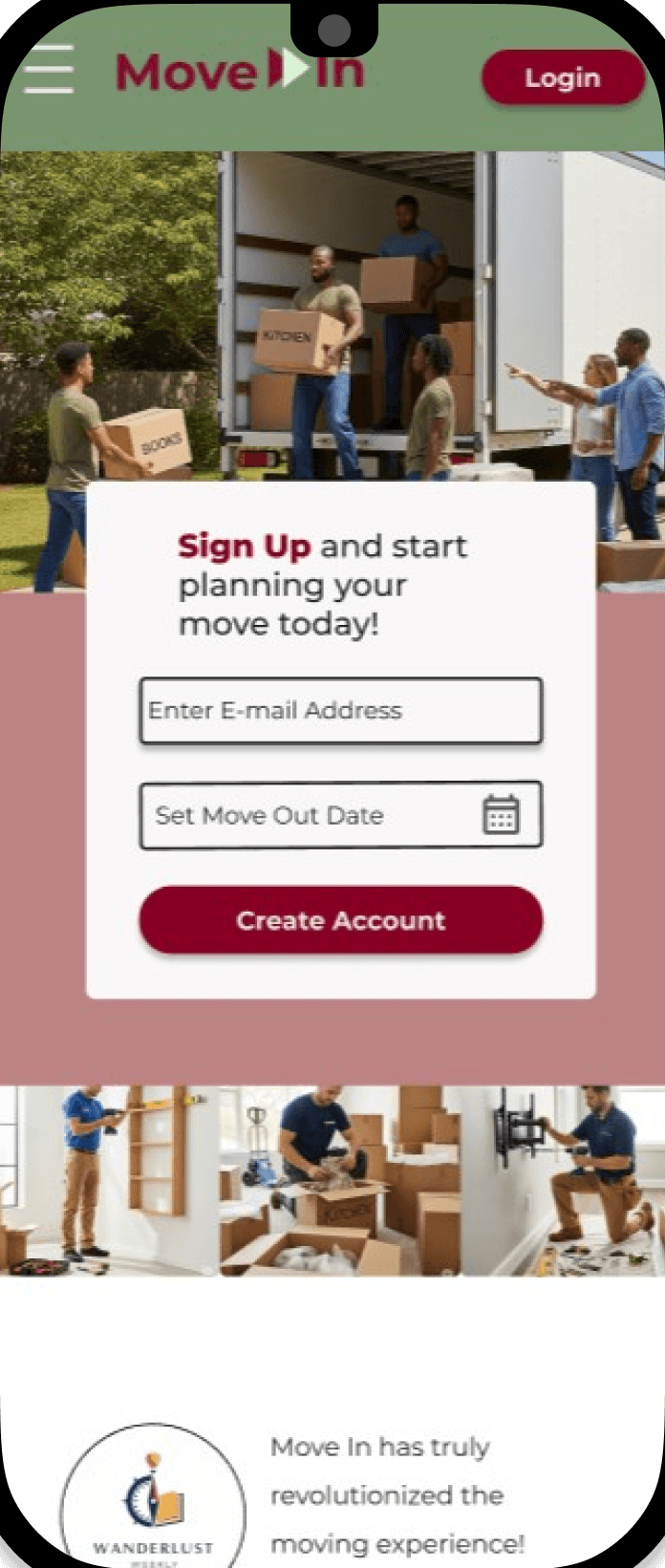
This led to high-fidelity wireframing & prototyping designs for Move In, an all in one moving service that helps people take control of the moving process from moving day all the way through to settling into your new home.
Phone Interviews with 5 research participants, all in their 30’s. Two of the participants moved across state lines, while the remaining 3 moved within their city limits.
Closing Insights
What Worked:
Potential users found the layout architecture easy to follow and had no problems finding the sites CTA's and finishing user task flows.
Challenges Faced:
Finding a direction to make this service stand apart from the others was a challenge that started this project. Through affinity mapping key interview insights into common themes I was able to push through and ultimately find the direction that Move In would be designed after.
What I Learned:
UX Research
User Interviewing
Wireframing & Prototyping
Card Sort Testing
Usability Testing
Problem Solving
Many people simply don't have the time to create a detailed guideline that maps out the entire moving process. There are plenty of services that can move people’s belongings from one place to another.
This case study concentrates on how we can help people to stay on track of the moving process and how we can best help them prepare for settling in.
Process
Research & Discover
Through secondary research I gathered information on the various services offered within the moving industry and through competitive analysis I discovered areas where a lot of companies fell short.


Comparing these 4 services helped to uncover what worked for moving services and where there was room for improvement.
Most companies offered help with the actual moving day, but there was a clear space available for a company that offered services with helping people organize their move and settle into their new homes.
Qualitative User Interviews
Key Observations
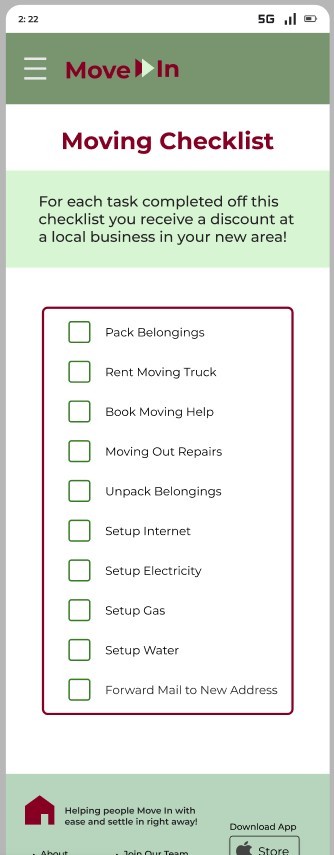
Participants lacked a detailed checklist to keep them on track of the moving process
Interviewees expressed a need for help beyond moving day with settling into their new homes
Affinity Mapping
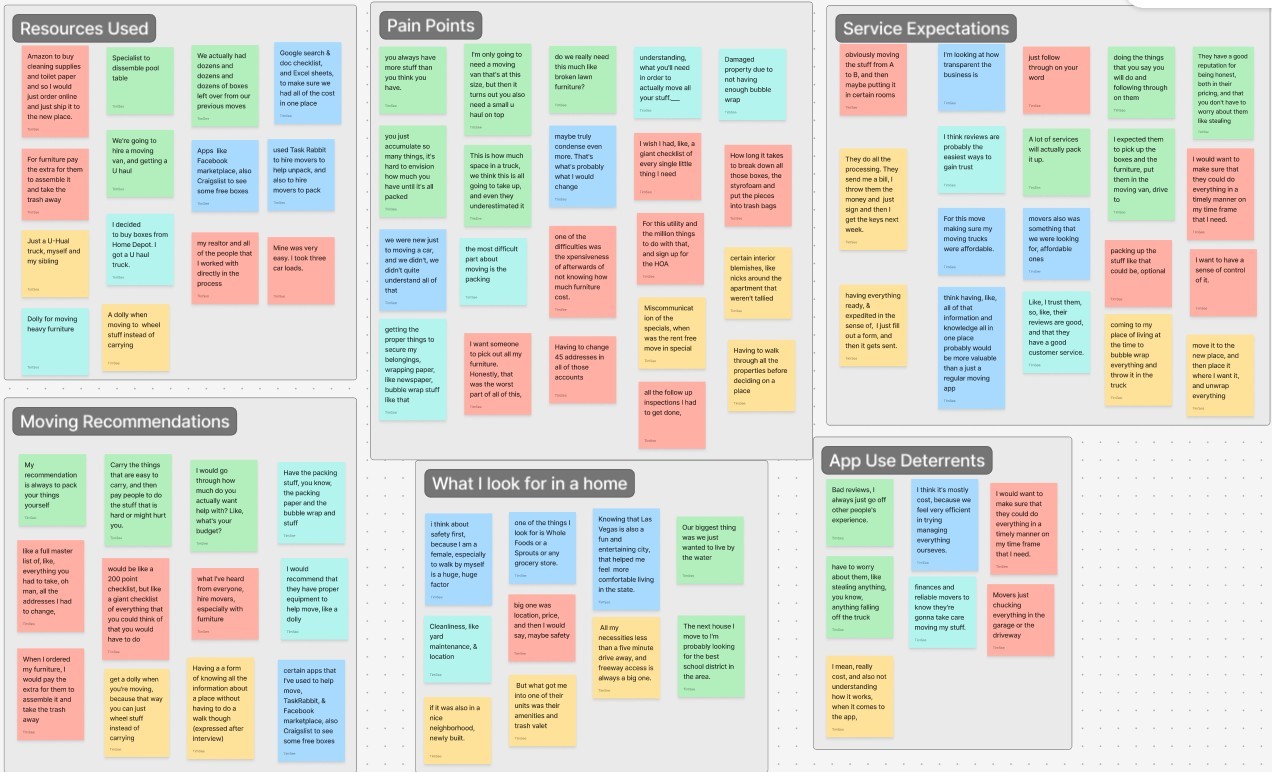
To better organize all the observations made during my user interviews, I created an affinity map and sectioned all key insights into 6 categories to help find common themes:
Resources Used
Pain Points
Service Expectations
Moving Recommendations
App Deterrents
What I Look For
Key Observations
Planning out a step-by-step moving process is a time consuming process not everyone has the time for
Life after moving to a new place can be just as stressful as moving day itself
User Personas
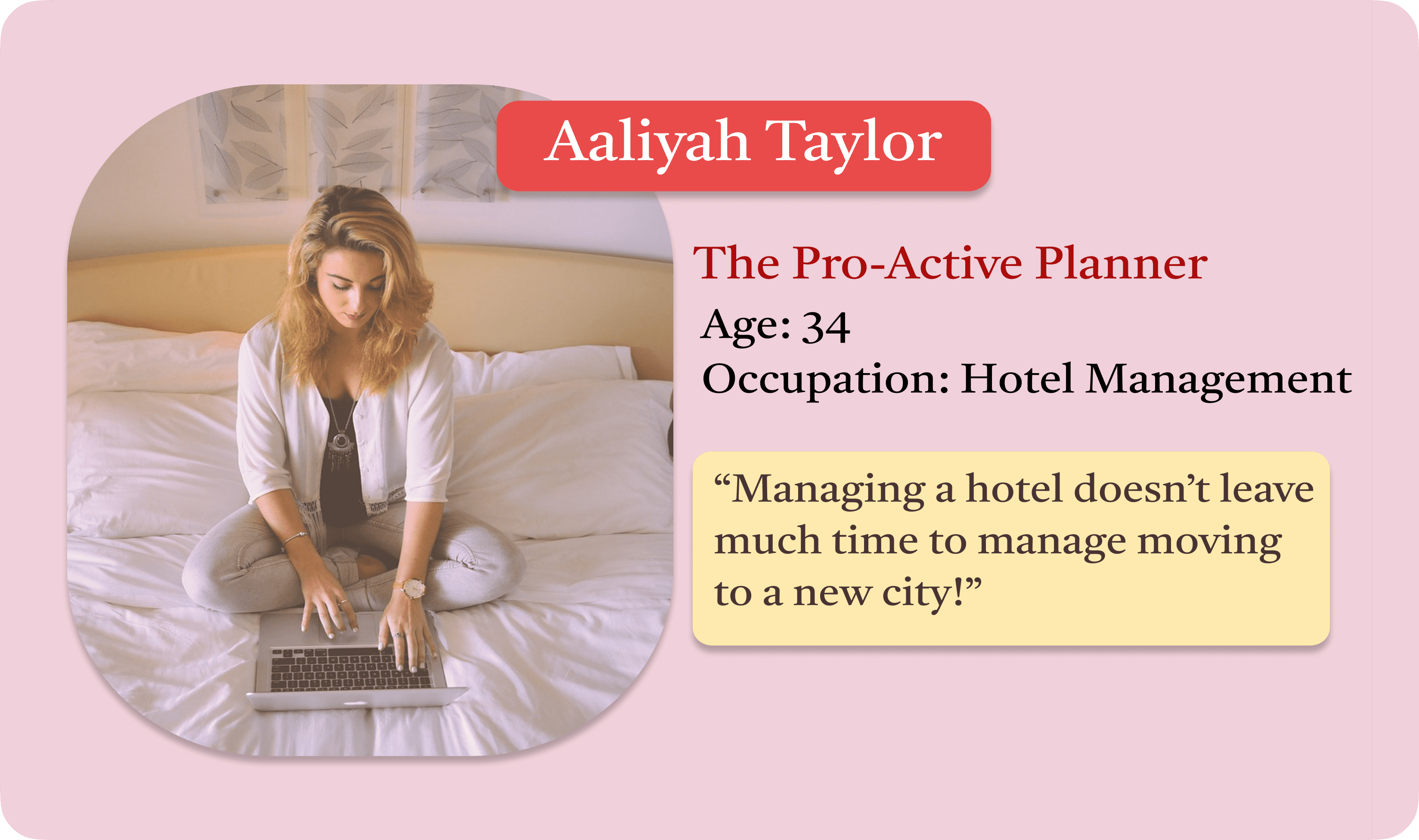
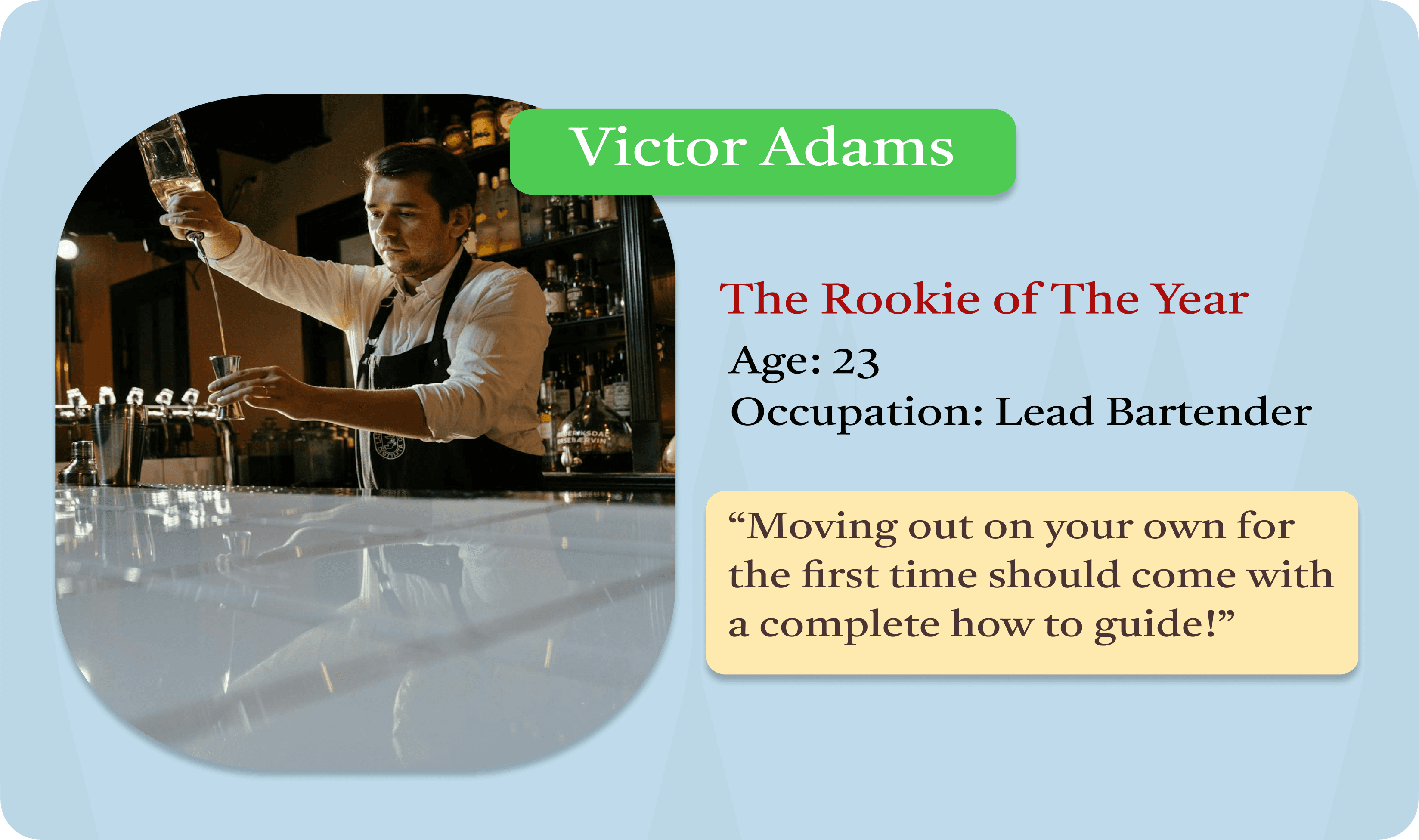
After analyzing the interview answers of 5 research participants and grouping common pain points I was able to form "how might we" questions that shaped the persona’s of Aaliyah and Victor.
How might we help movers with a busy schedule settle into their new home and get them comfortable in their new surroundings?
How might we create a system to track important deadlines, chores, and logistics to prevent last-minute scrambling before the move out date?
Ideas to Designs
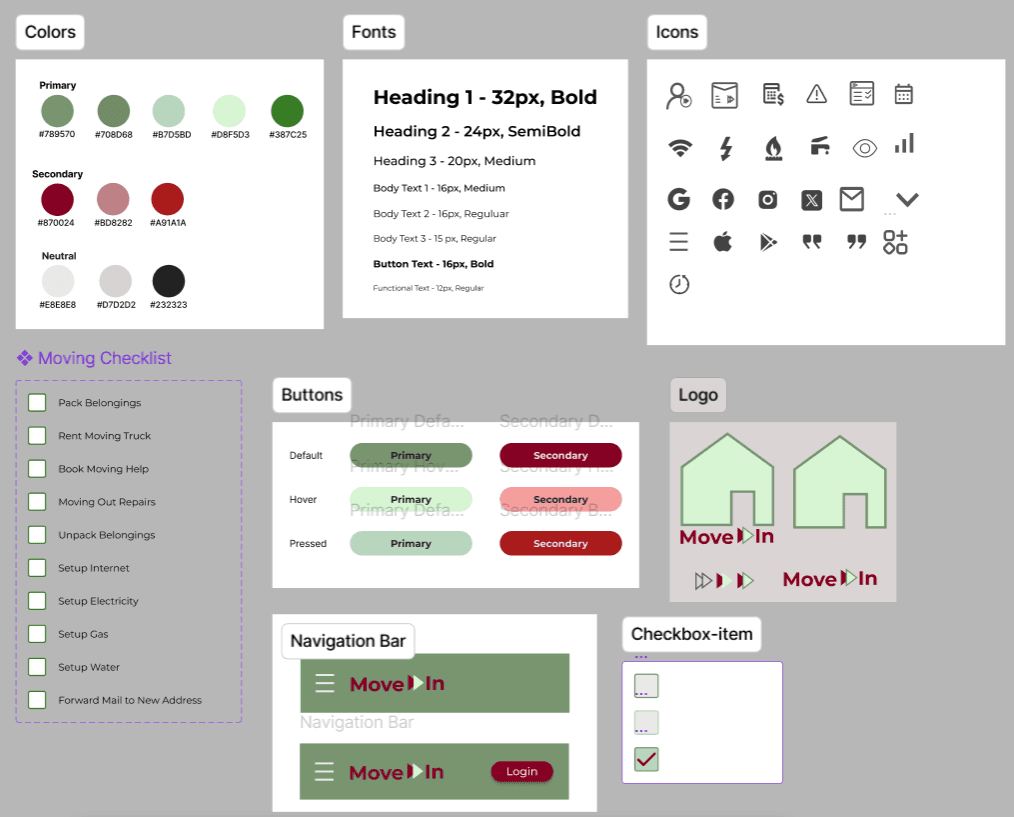
Visual Style Guide
The bold green and red colors are designed promote the brand values & to give the user a sense of empowerment and control over the moving process.
Brand Values
Empowerment
Reliable
Exciting
Efficiency
Together
Site Map
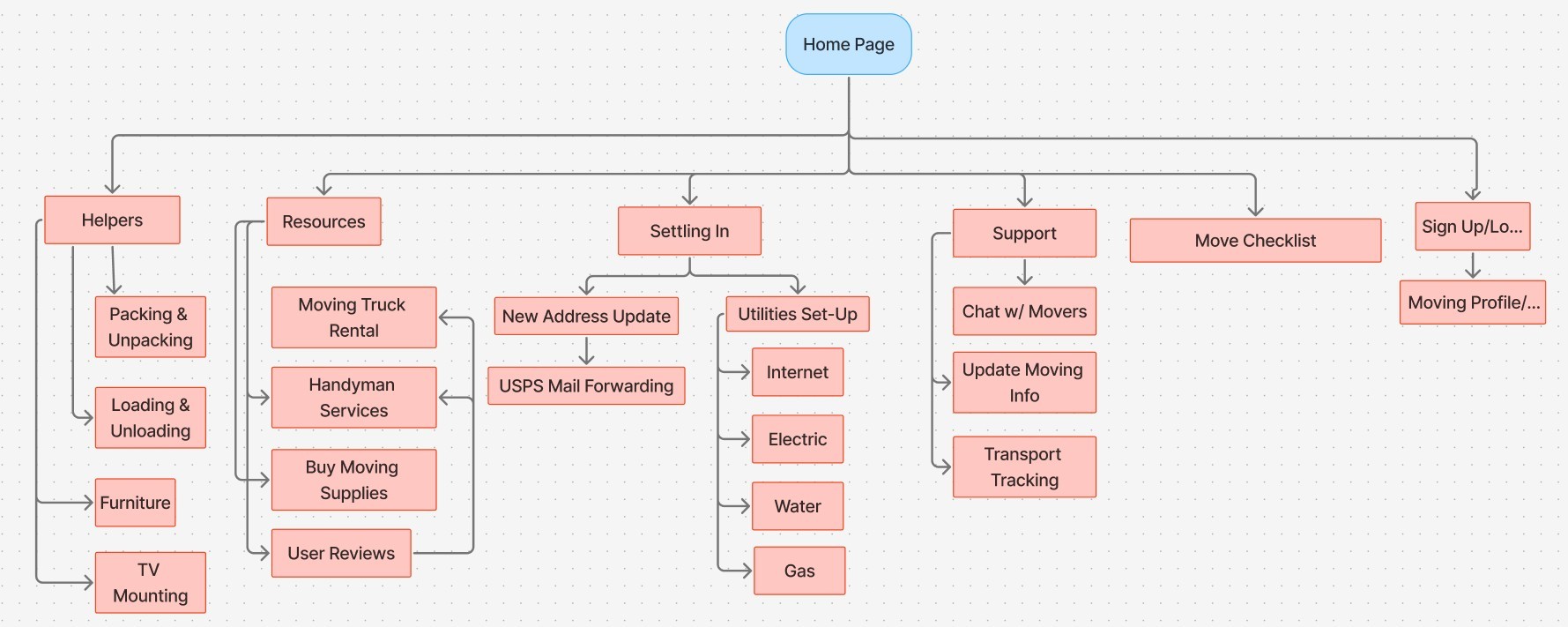
After conducting open card sorting exercises with 5 potential users, I was able to categorize possible sections to form a site map.
Low & Mid Fidelity Wireframes
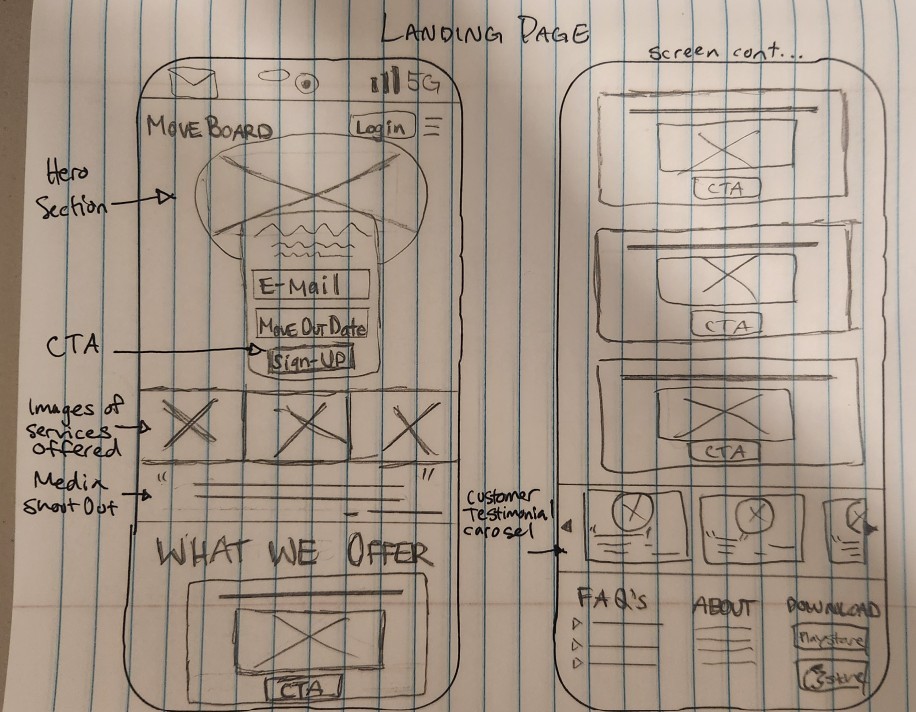
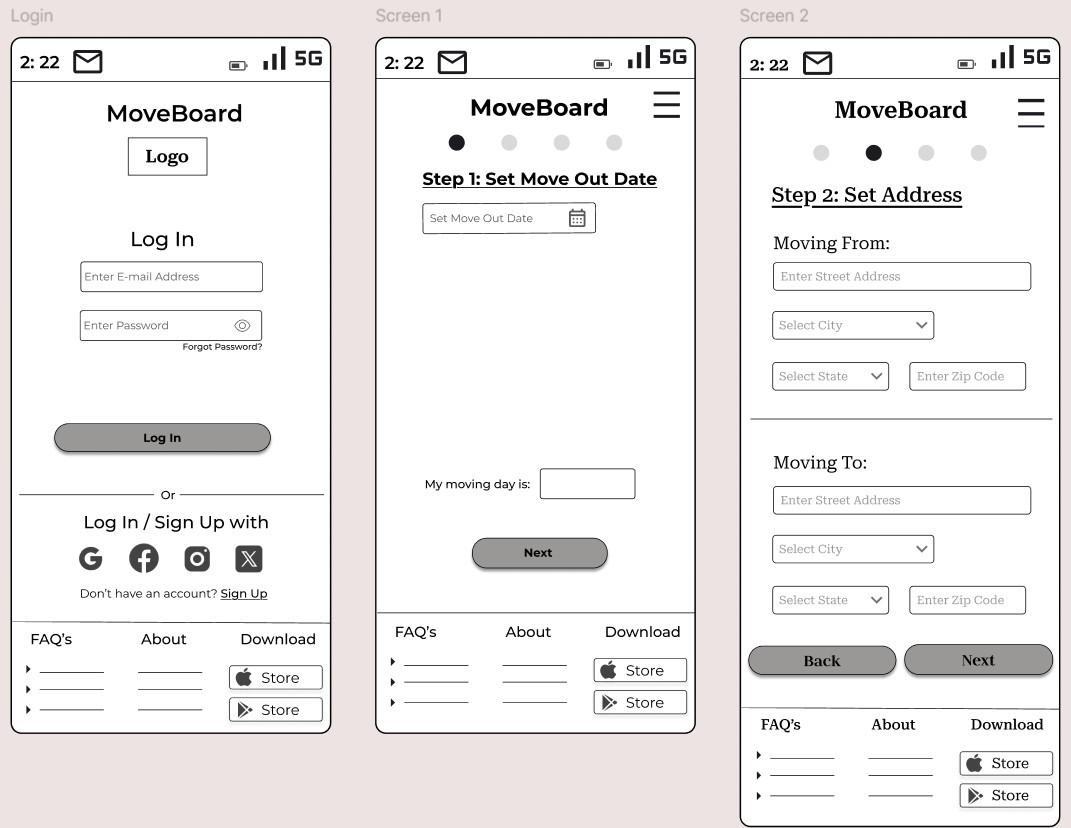
Focused on forming and refining the designs for the:
Login Page
Moving Profile Setup
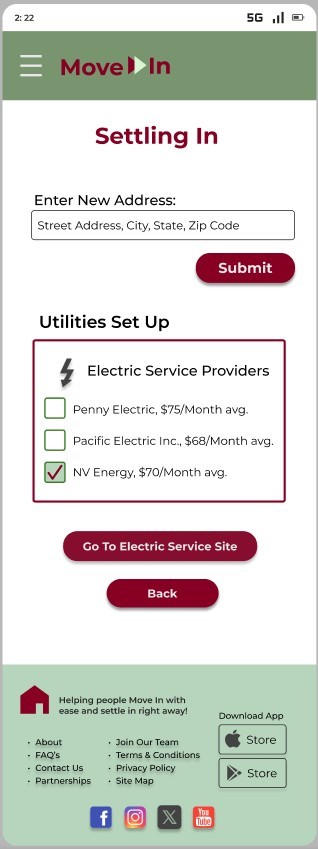
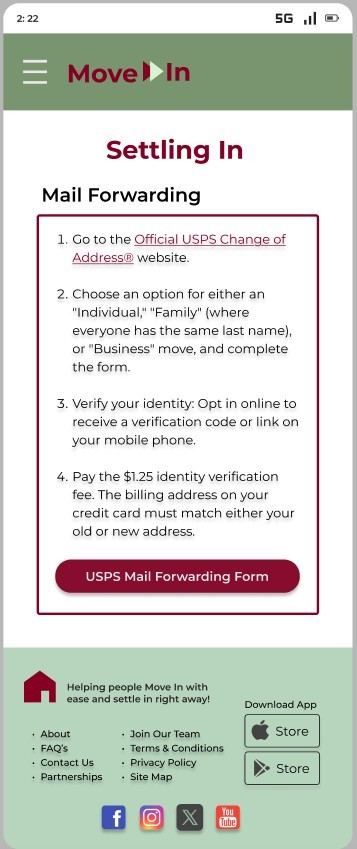
Settling In Services
High-Fi Wireframes
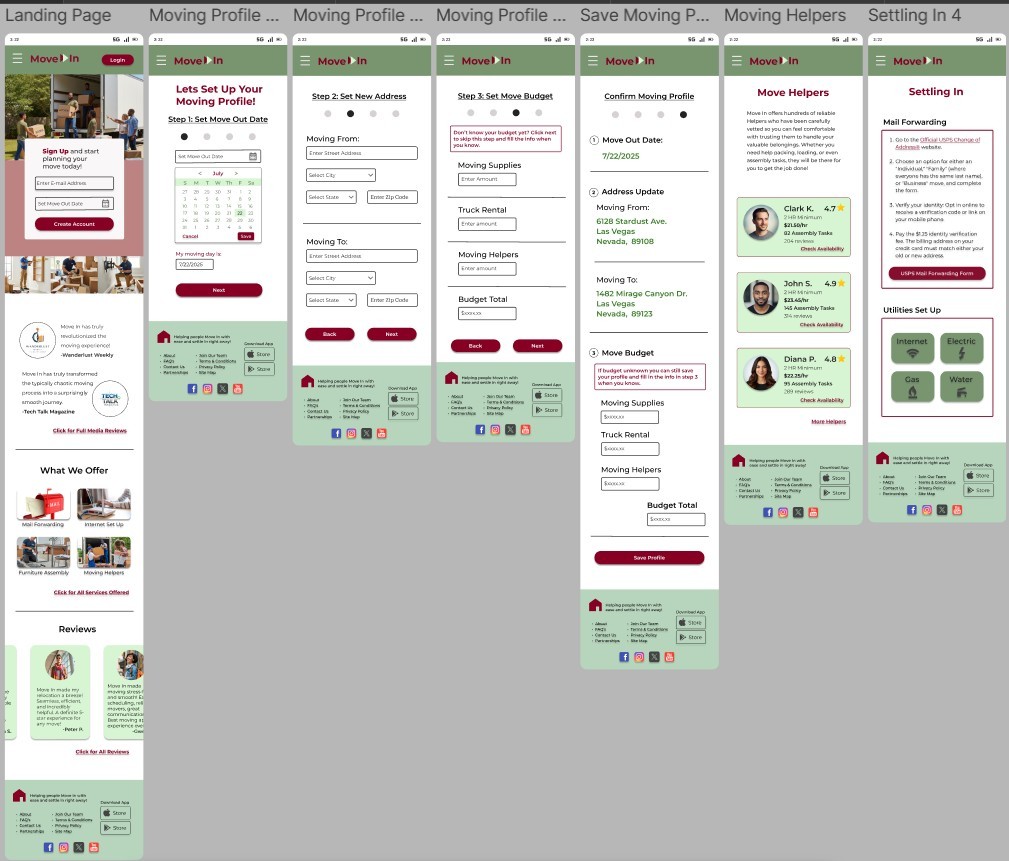
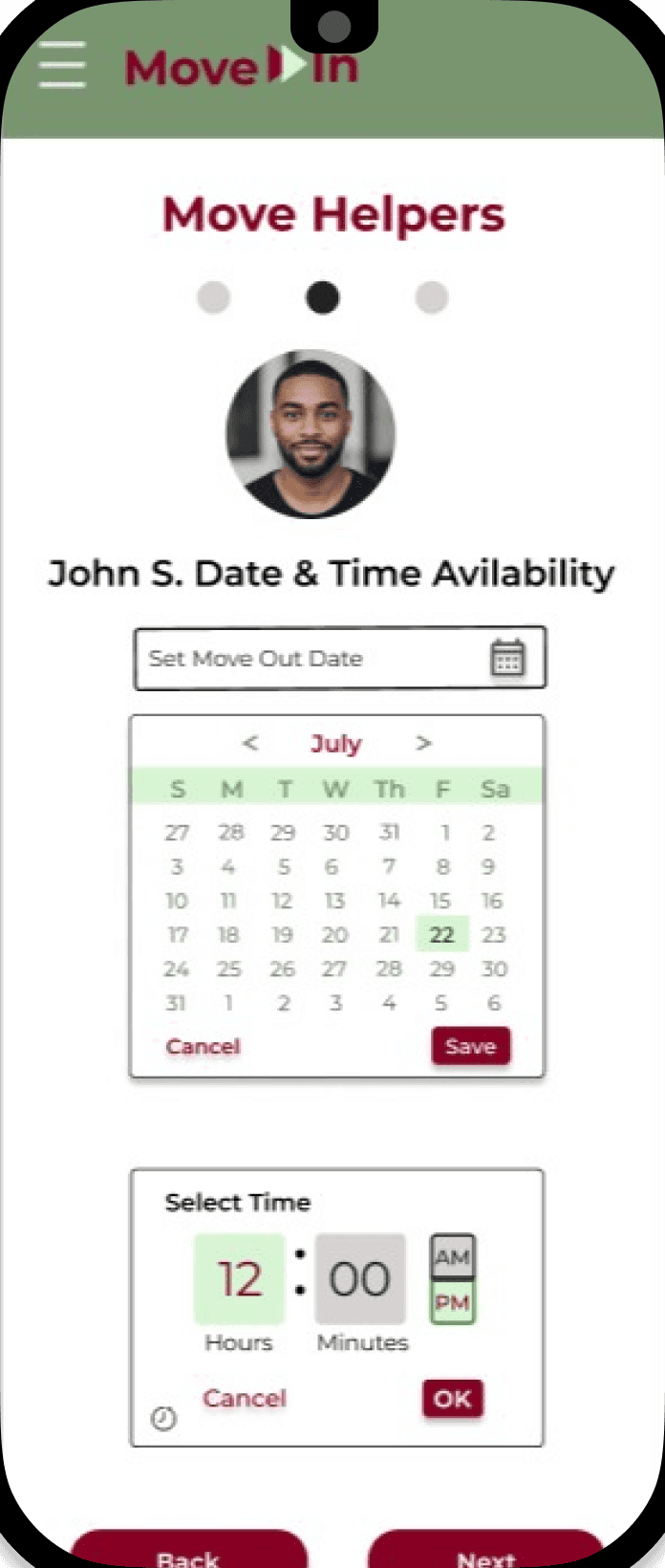
During high-fidelity wireframing I was able to apply font styles and a color palette inspired by the brand values. I also added pages for users to schedule services for moving helpers.
Design Iterations
Changed:
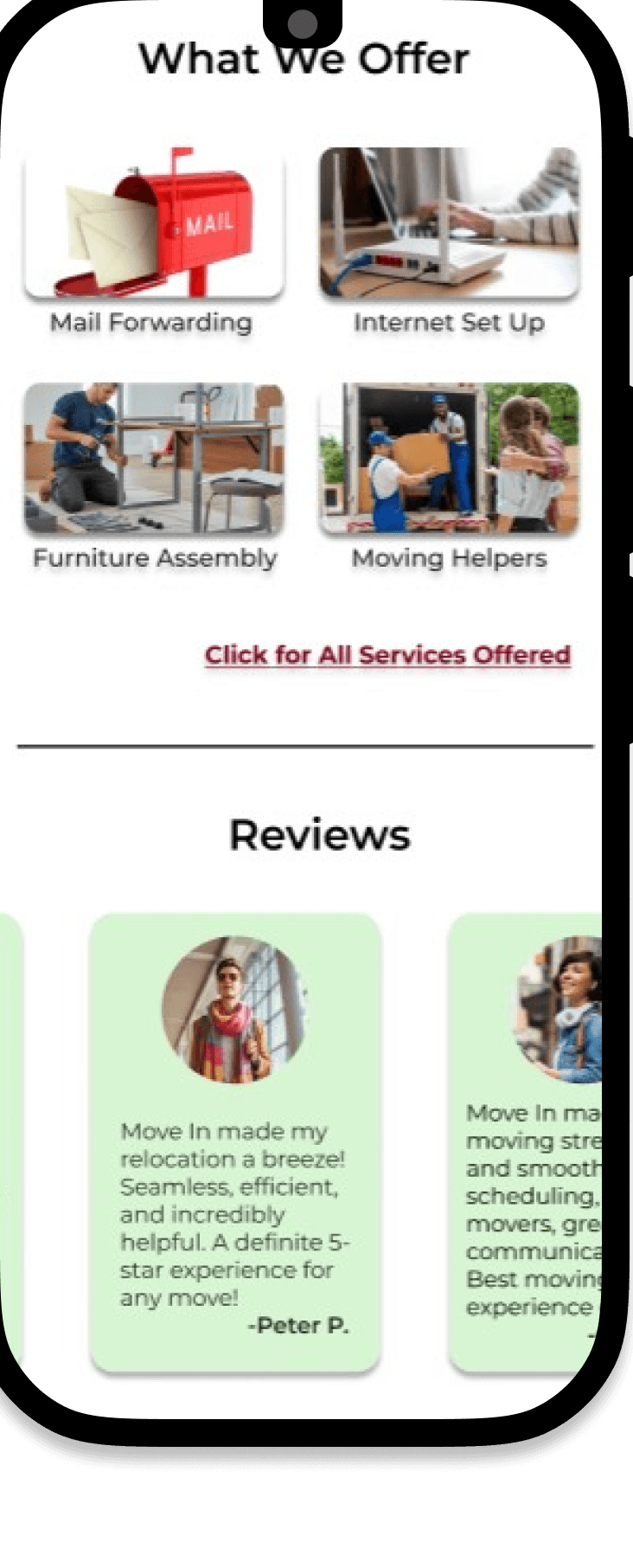
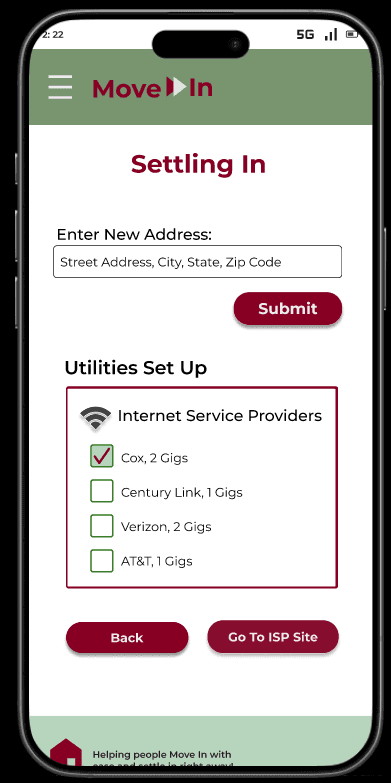
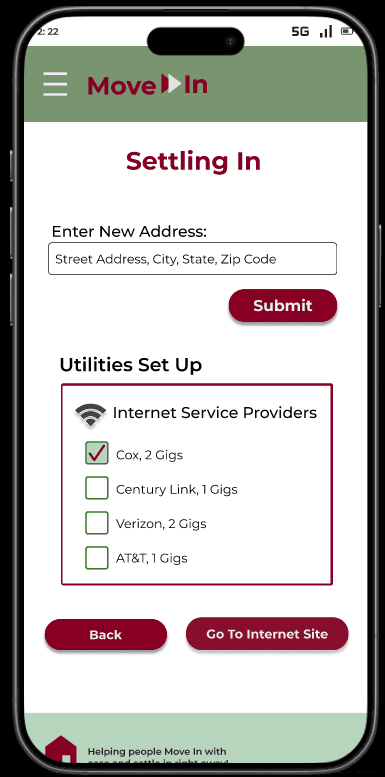
Text label of Internet Site button because some users expressed that they did not know what “ISP” stood for
Before
After
Priority Revisions
UX Academy Phase 1 Case Study: Move In
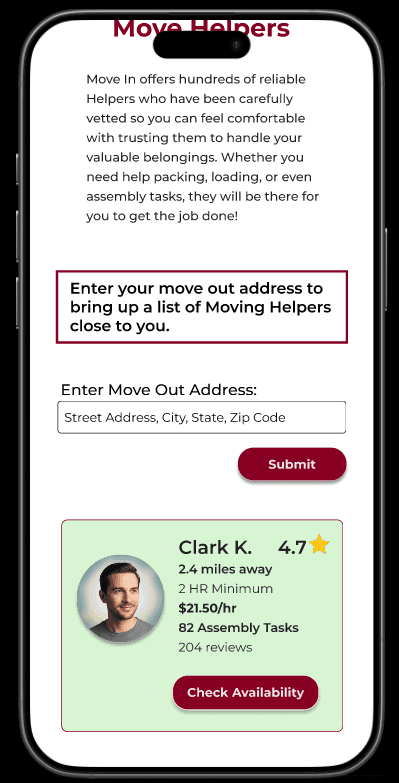
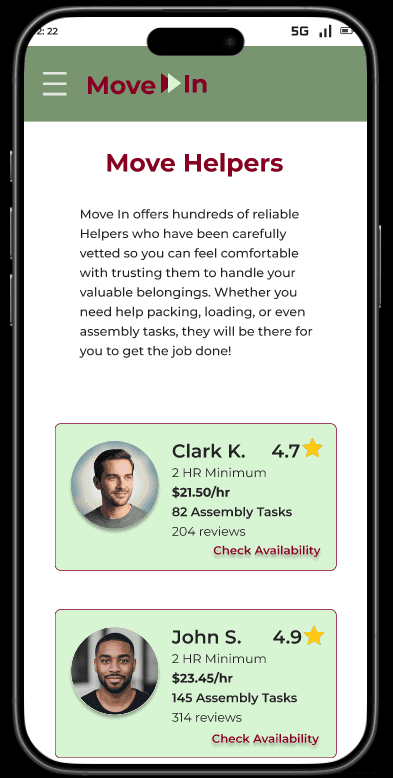
Changed:
Instructions for user to input move out address to bring up a list of Moving Helpers
Input Field for move out address
Card copy info of distance of Move Helper from move out address
Check Availability button
Before
After